
Finish It Controls
Move, aim the hopper gun, swap to the trowel, and keep the HUD out of your spray.
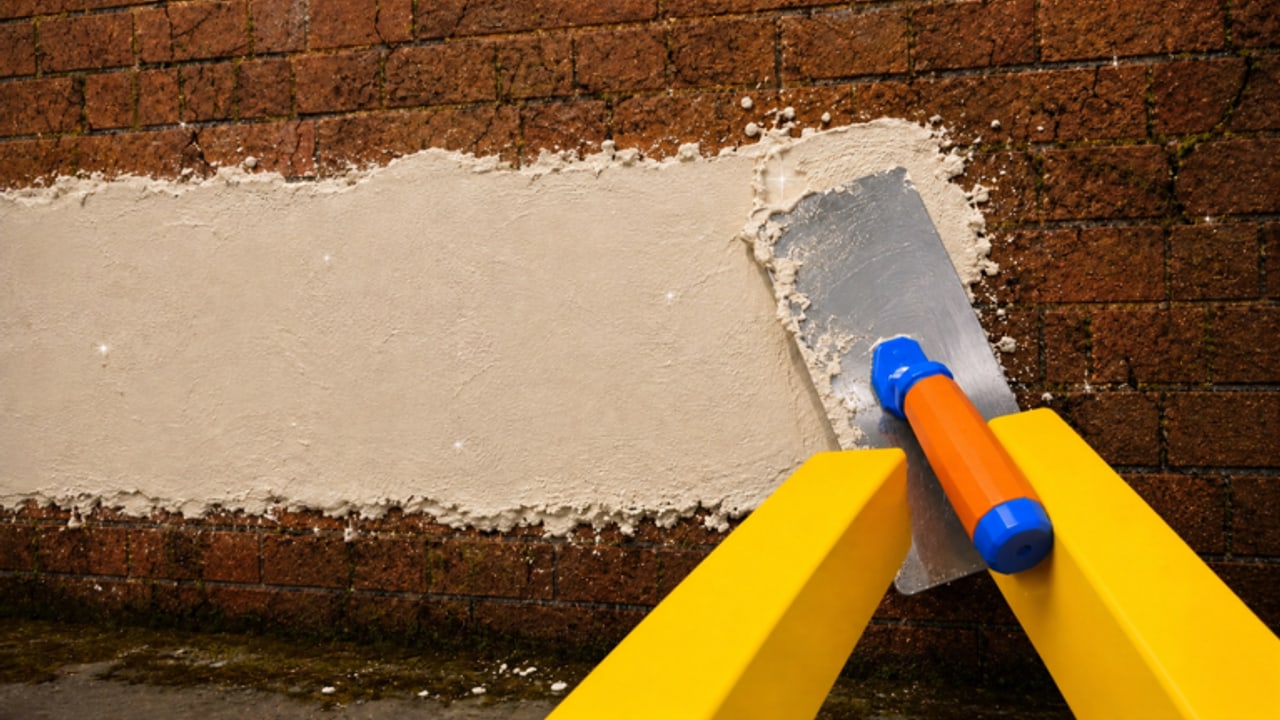
Finish It uses standard Roblox movement with a first-person tool loop. Moonrise Interactive has not published a unique keybind manifesto, so this page documents what you actually do on the lot: aim a hopper gun, swap to a trowel, paint, and open shop or code UI without dumping plaster on your shoes. Use it with getting started and how to play.
PC
- WASD move, Shift sprint if enabled by the experience, Space jump onto scaffolds.
- Mouse aim. The stream comes from screen center; keep the nozzle on brick, not sky.
- Left click / hold to spray or trowel depending on the equipped tool.
- Number keys or the on-screen tool tray to swap spray, trowel, and paint. If a key does nothing, click the tray — some patches prefer the HUD.
- E or click to use shop, plates, or world buttons when a prompt appears.
- Esc Roblox menu. Do not confuse it with the in-game shop.
Bind whatever Roblox allows in its own settings, but do not expect Finish It to ship a full rebind table. If click-to-spray feels sticky, check mouse debounce and frame rate on busy 20-player servers.
Mobile
Thumb left to move, thumb right to look. The fire button is usually on the right; the tool swap sits above or beside it. Landscape is mandatory. Portrait hides the tray under the joystick and you will trowel the lawn by accident.
Auto-aim is not a thing. Pinch-look slowly on interiors so you do not overshoot tile bosses. When you open codes, pause movement first — the paste field and the fire button like to overlap.
Console
Left stick move, right stick look, right trigger spray/trowel, face buttons or D-pad for tools depending on the current HUD. Open the Roblox help overlay if a prompt is unreadable. Console keyboards make code entry painful; paste from a companion device if your platform allows it.
Camera and comfort
First-person is the point: you see yellow arms, the red hopper, the blue barrel, the white stream. If you switch to third-person in Roblox settings, aiming plaster gets worse. Stay in first-person for work, third-person only for a completion screenshot.
Field of view: higher FOV helps on interiors, lower FOV makes long exterior strips easier to keep level. Sensitivity should be low enough that a trowel drag stays on one course of brick.
HUD buttons you should actually click
- Shop. Cash and gem upgrades. Follow the upgrade planner.
- Gamepasses. Infinite Spray, Infinite Plates, Infinite Turrets, More Speed, More Colors, x2 Gems, VIP, Galaxy Skin, All Gamepasses. Ranked on the gamepass tier list.
- Codes / gift. May be absent until Moonrise ships codes. Do not install a loader to find it (script safety).
- Settings. Volume, graphics. Drop graphics on a full server if the stream stutters; stutter wastes ammo.
Accessibility and session health
The plaster loop is repetitive on purpose (the listing even tags ASMR). Take breaks. Lower spray particles if you are sensitive to flicker. There is no color-blind mode we can document yet; More Colors is a palette expand, not an accessibility suite.
If a control fails after a patch, check updates before resetting your whole Roblox keybinds. Most “broken spray” reports are empty tanks or the wrong tool equipped. Swap to trowel, swap back, refill, then file a complaint.
Once the hands remember spray → trowel → paint, ignore this page and spend brainpower on how to finish the house. Controls are the boring layer. The house is the job.
Frequently Asked Questions
Quick answers for Finish It players.
What is the spray button in Finish It?
On PC, hold left mouse with the hopper equipped. On mobile, the right-side fire button. On console, the right trigger.
How do I switch to the trowel?
Use the on-screen tool tray or number keys. If a hotkey does nothing, click the tray icon.
Should I play in third-person?
Not for work. First-person aims the stream. Third-person is fine for screenshots.
Why does mobile keep firing when I open menus?
The fire button overlaps UI in portrait. Use landscape and release the thumb before opening shop or codes.